Getting Started & Survival
Hunger & Eating
Hunger falls over time. Eating food that restores hunger fills the meter again, up to your current maximum. Keep food ready before a long trip or a difficult fight.
Recognise your hunger meter
The hunger meter shows full and half food symbols. These are separate from your health hearts: a food can restore hunger, health or both.
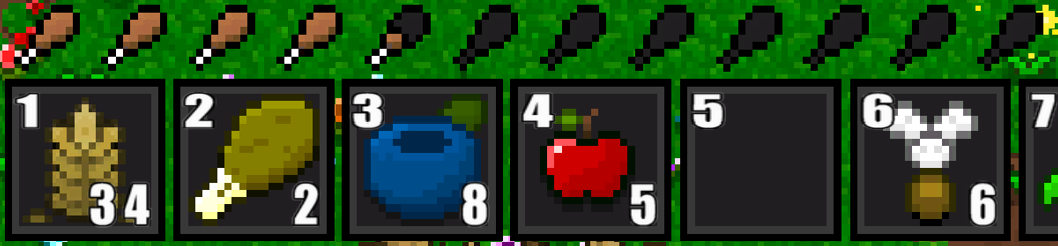 Hunger meterView full size
 The status text shows “Hunger” when your hunger is low. At an empty meter, it changes to “Starving”. Starvation damages your health and slows your movement.
What to do
Eat before the meter runs out. Check a food’s description for what it restores and any status effects it causes. A status effect is a temporary change to your character, such as Strength or Poison.
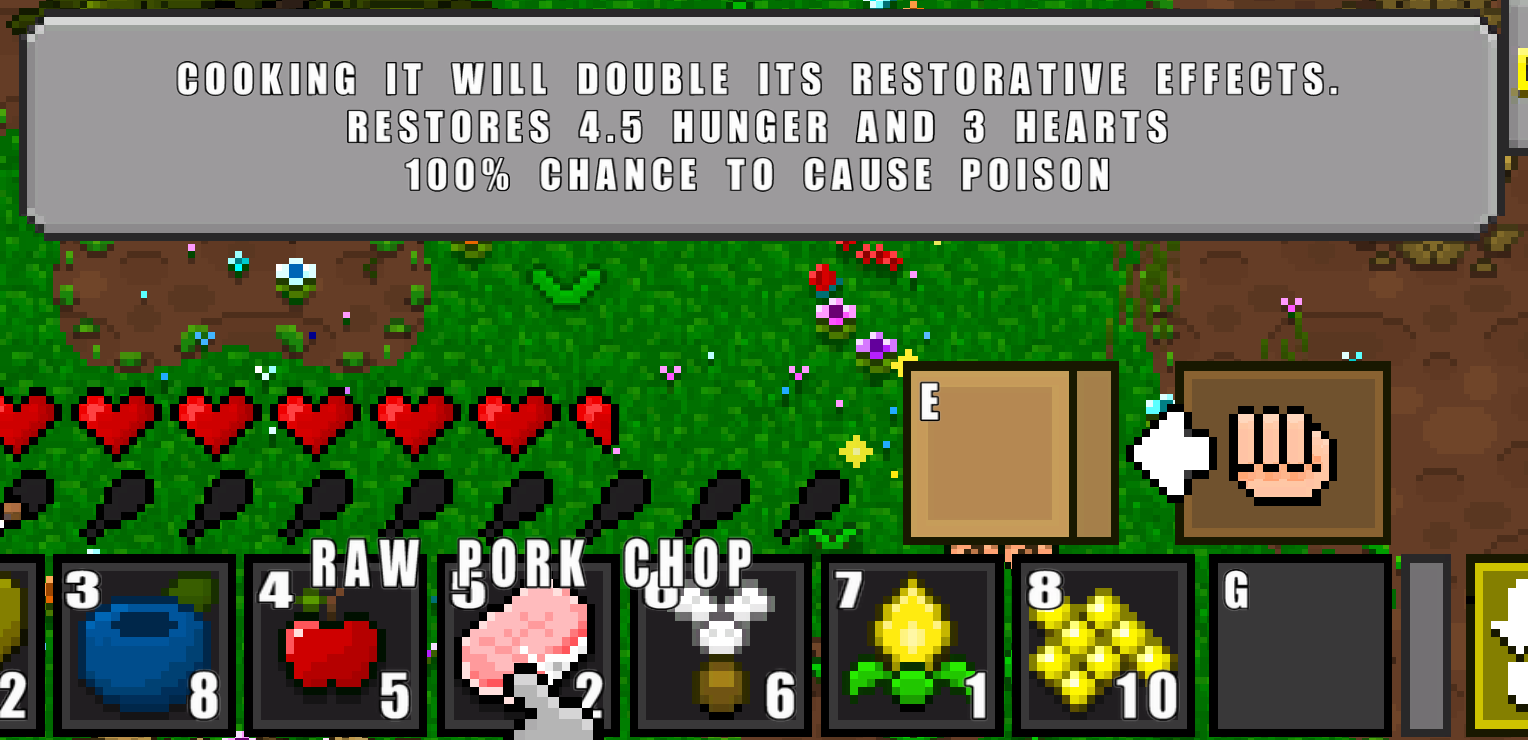 Food item descriptionView full size
 Hunger and healing are capped at your current maximums, so any restoration above a full meter is lost. If an item has nothing it can currently restore or apply, the game can show “Full”.
Choose food to suit the situation. Wheat restores hunger without granting Strength, so it can cover everyday eating when you are safe. Keep Green Hearts, or cooked meat such as Cooked Chicken Drumstick and Grilled Steak, ready for danger: they restore health and hunger and grant a short Strength boost. Check each food’s description, because not every food gives Strength.
Keep food and potions ready
Before heading out, arrange food and any potions you plan to use in your quick-access bar. Keep everyday hunger restoration and your Strength-granting supplies in familiar slots so you can find the right item when danger appears.
 Quick-access barView full size
 Check your supplies before a fight and replace what you have used when you are safe. Choose items for their effects rather than relying on a bottle’s colour.
Try this
If you are missing two hunger symbols and one health heart, eat an Apple. It restores two hunger symbols and one heart. If either meter has less room, only the missing amount is restored.
Items in this guide
Open an item for its description and available recipes. These images show inventory items.